Category: Digital

  • #1 Best Notion Goal Tracker Template

    #1 Best Notion Goal Tracker Template

    This post is giving you a deep dive into the best Notion Goal Tracker that will change your life!
    notion goal tracker

    Goal tracking is a phrase that can either excite you or scare you. Now no matter what camp you are in, it has been proven that setting goals leads to a more fulfilling and dare i say disciplined life. Having been someone who would set goals every new year and every birthday only for the next year/ birthday come around and nothing been achieved, I know first hand how discouraging that can be.

    With this tried and tested Notion goal tracker template, I have cracked the code. I am finally achieving my goals and making my life into how i want it, one goal at a time. And this post is showing you exactly how I do that!

    This post is all about a Notion Goal Tracker!

    What is a Goal Tracker

    Life is truly limitless and when we start dreaming big and setting big goals is when we truly start living. This goal tracker will help you visualise your goals much easier and help you achieve them one step at a time!

    This goal tracker template will help you categorise your goals in multiple views which will help you achieve your goals in bite-sized chunks!

    Want to see how this Notion goal template works? Keep reading!

    What is Notion?

    Without getting too techy, Notion has been labelled as ‘your second brain.’ It’s an organisation/ productivity system that will help you keep track of a bunch of things via databases!

    EG. at a high level you can have a place for recipes, tv shows, and what we are talking about here: goal planning and tracking.

    Notion Goal Tracker

    Why did I create the Notion goal tracker? There were MANY reasons as to why I made this tracker but the main reason was that I wanted to see my goals and exactly how I can achieve them without overwhemling myself.

    It is SO easy to create a vision board and make a list of all your goals but its also very easy to get lost and overwhelmed in these mediums.

    I created this Notion Goal Tracker Template to help you better visualise your goals and actually achieve them.

    Notion Goal Tracker Contents

    Within the goal template, I strived to make it as simple as possible as simple really is better.

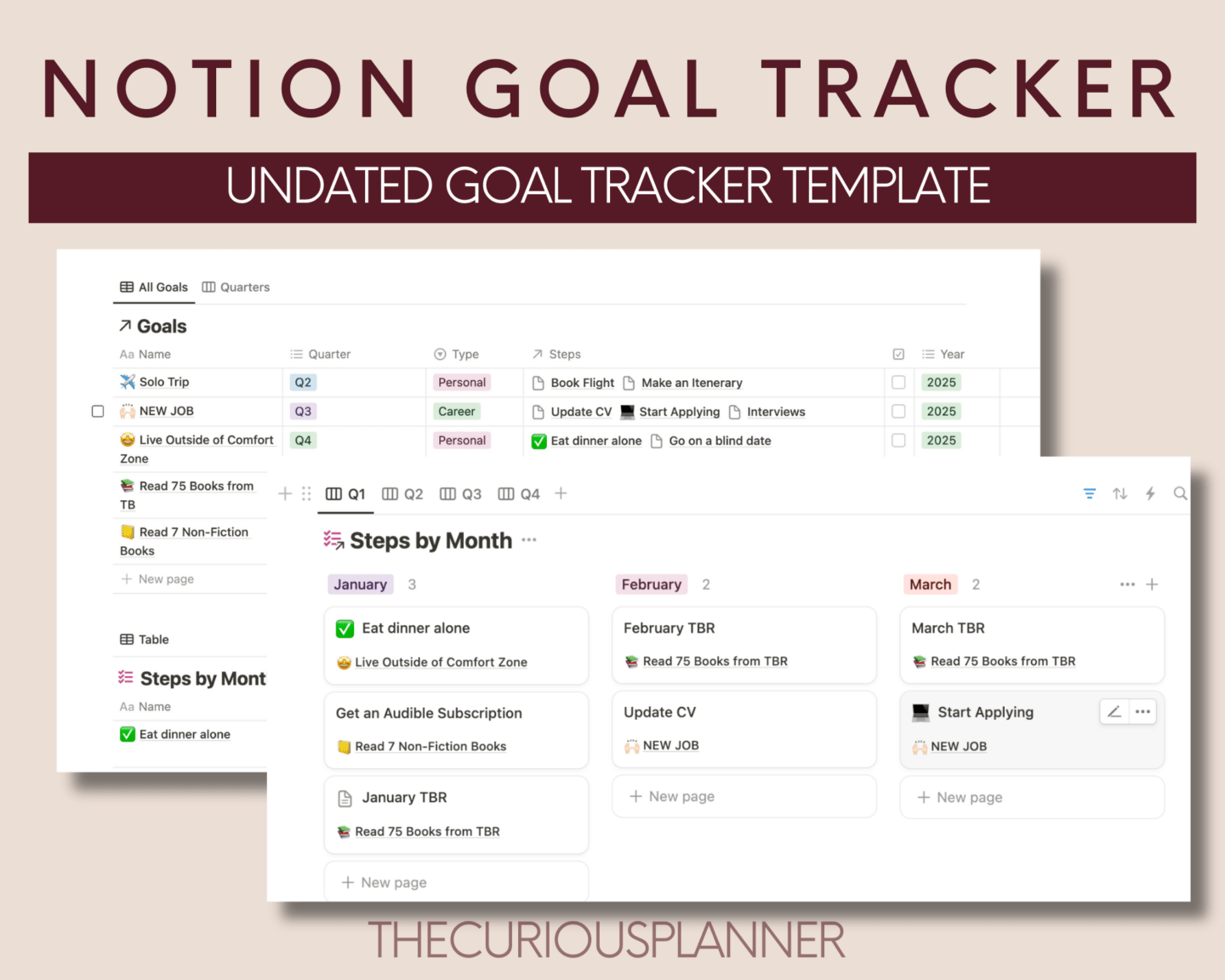
    We have three main tables that are pretty self explanatory:

    1. The Goal List:
    2. The Step List
    3. The Quarterly Views

    We will talk more about the tables below.

    The reason why we have three tables is because each provide a trove of information.

    Why are the goals in quarters? The STAR of the Notion Goal Tracker
    notion goal tracker template

    Now this is the secret to achieving your goals. It’s assigning your goals to a quarter.

    Instead of having yearly goals where you rush to try and complete them in December, assigning a limited number to each quarter gives you time and freedom to dedicate the quarter to a smaller number of goals. This means you are more likely to achieve that goal!

    Want more digital planners? Check out all of ours here.

    But What About Yearly Goals?

    This system works exactly for that too as we work in steps! What you need to do is assign your goal to be completed for Q4 but you can assign your steps to throughout the year.

    For example, I have a goal of ‘living outside of my comfort zone’ that I want to achieve throughout the year so I will mark it as Q4. I will fill out my steps, but instead of assigning them all to Q4, I will assign them throughout the year. So ‘Going on a solo date’ I can mark as January, and tick it off when it is done.

    What if I don’t complete the step that month?

    No problem, with the third table (or by clicking into the step) you can just drag the step to another month!

    This table is to help you not hold you to ransom!

    How Does The Notion Goal Tracker Work?

    As mentioned above, it is a three table system, let’s get to it:

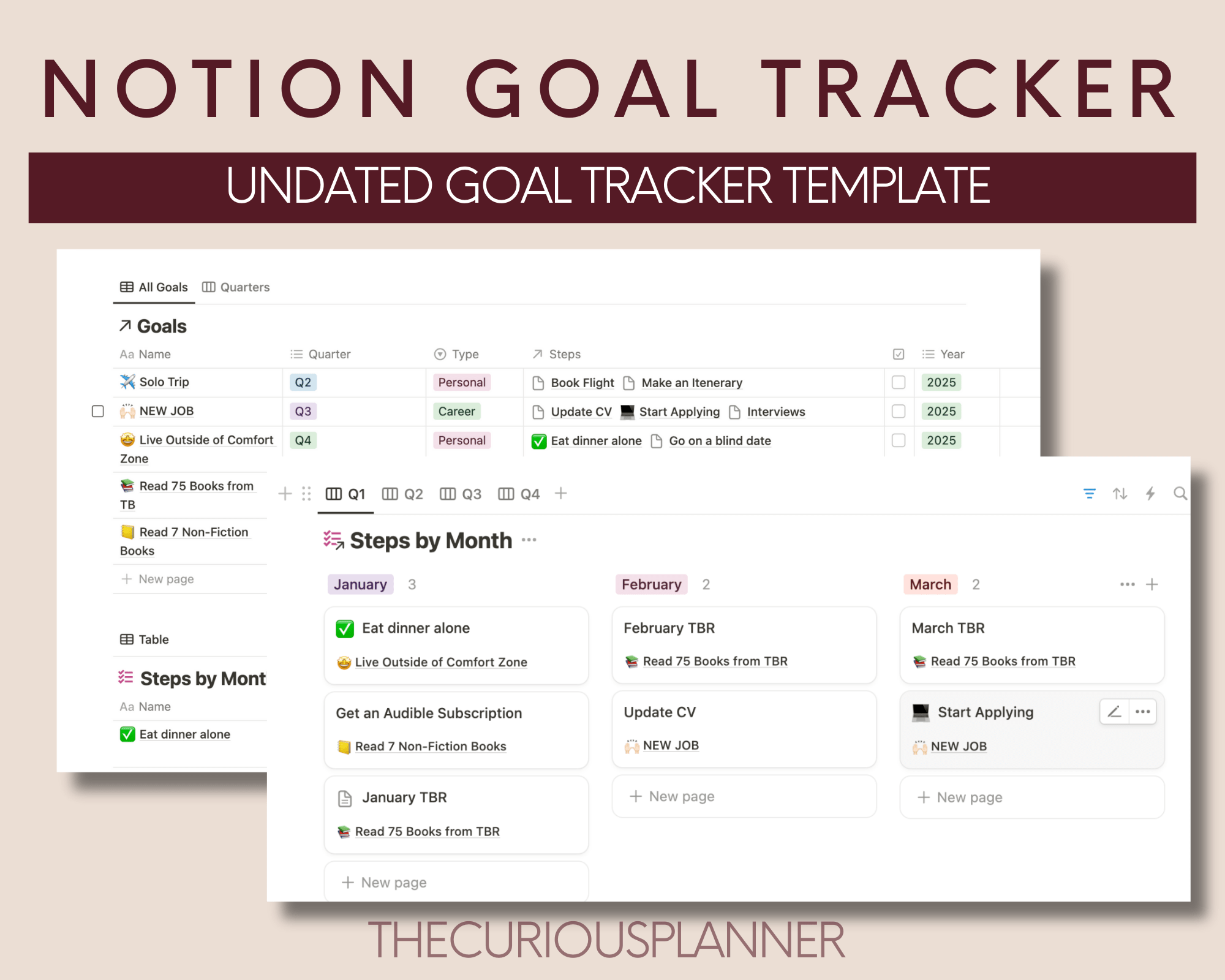
    1. Goal List

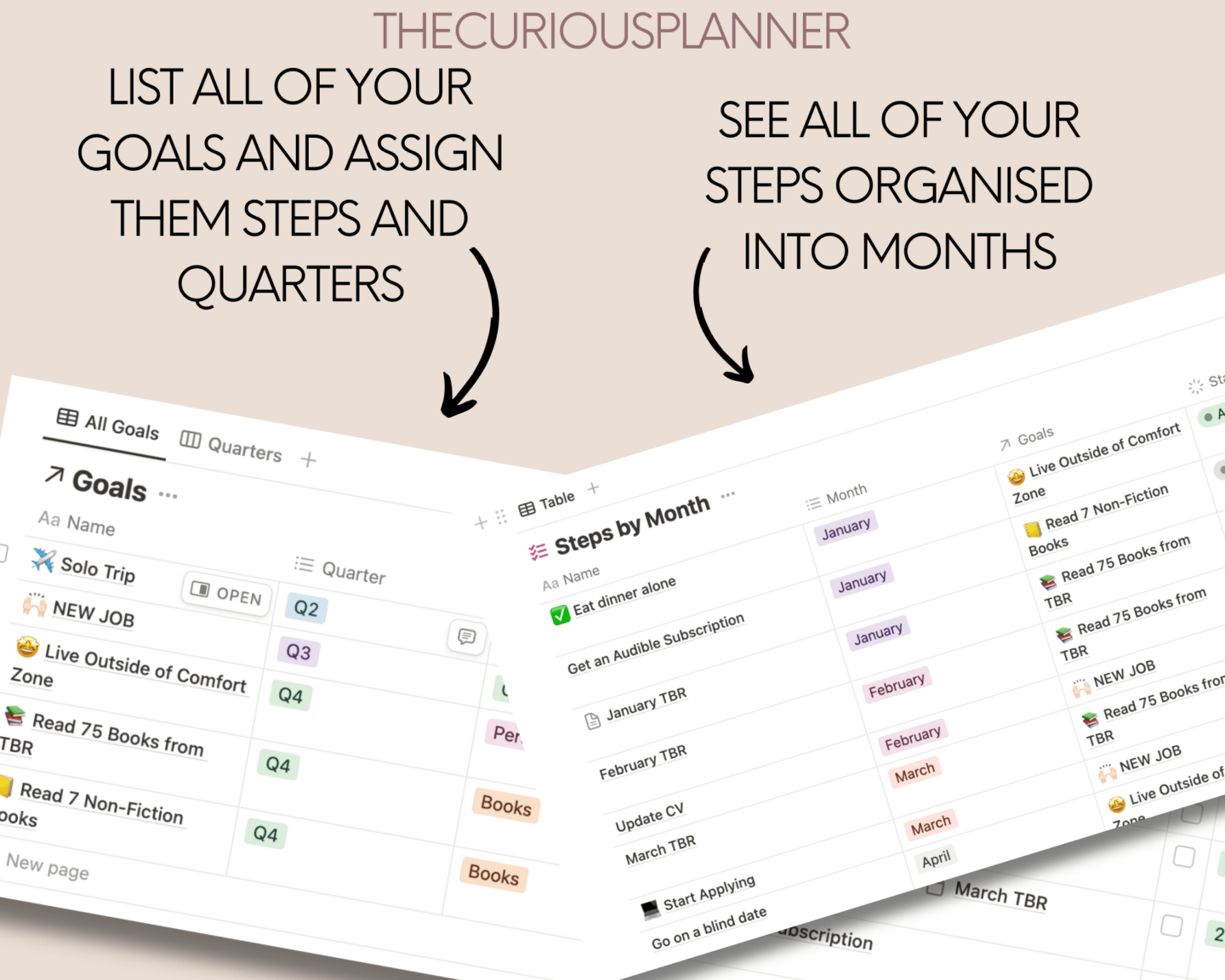
    The first table is for you to list all of your goals, assign them their types, and most importantly their quarter.

    You are then going to think about how are you going to achieve this goal? What steps do you need to complete? Fill out the steps in the Steps column

    2. Step Table

    Now you will notice that the steps you have filled out above are present in this table (magic). Here you are going to assign each task a month to get them completed so you can achieve your goal.

    If you click into the step page itself, there is also a goal tracker template you can use to help you achieve this step.

    3. Quarterly View
    notion goal tracker free

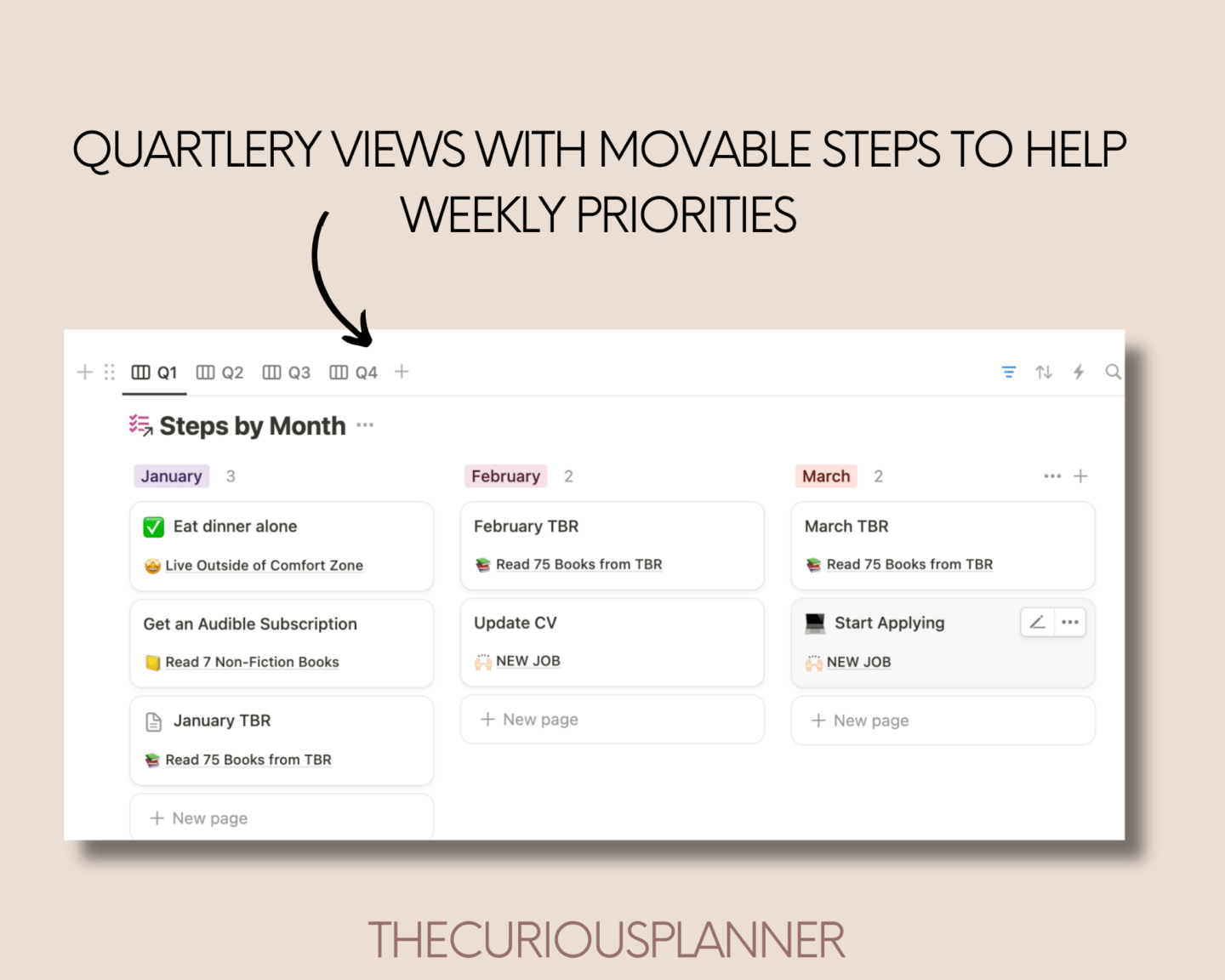
    This is four tables sorted into quarters in a kanban view.

    You can copy and paste this database and put on any page you want as it shows you your goal steps in bite-sized chunks. You will only see your Jan-Mar goals and so on one view.

    From this you can start curating a weekly to-do to help you achieve that step, which will help you achieve that goal (wooh).

    It’s a kanban so you can drag and drop your goals. This table is to help you not hold you to ransom!

    Want more news on planners and templates to help you do life a bit better? Sign up here:

    This post was all about the best Notion Goal Tracker
  • The Ultimate Number 1 Digital Sinking Funds Planner That Will Sky Rocket Your Finances

    The Ultimate Number 1 Digital Sinking Funds Planner That Will Sky Rocket Your Finances

    This post is all about the best digital Sinking Funds planner that will elevate your finances.

    digital sinking funds planner

    Sinking funds, budgeting, saving; so many money saving lingo is thrown around nowaday; it’s hard to really figure out how to track the money you are saving effectively!
    In this post I am going to be sharing with you the best way to save money to help you reach your finance goals, all through this simple and easy to use sinking funds planner.

    As someone who has been using sinking funds for years, I know exactly what works and what does not, which is why this sinking funds planner pdf is truly a brilliant tool to aid your savings.

    Save your monthly budget and start saving bit by bit so when it comes to paying for something you don’t feel it all!

    This post is going to give you a deep dive into our brilliant digital sinking funds planner and why you most definitely need one!

    What is a Digital Sinking Funds Planner?

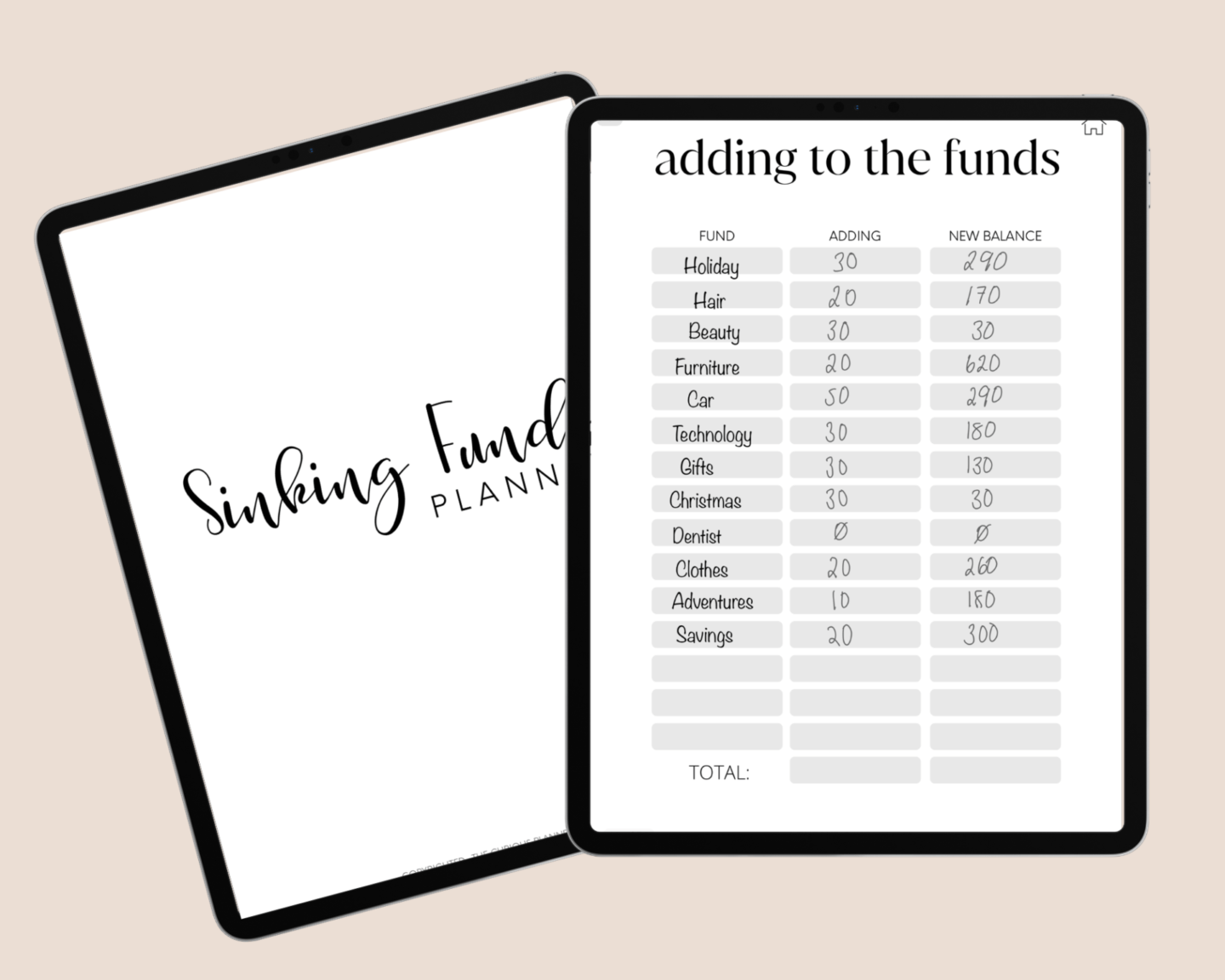
    A digital sinking funds planner is exactly what is say on the tin; a digital way to track and keep on top of your sinking funds. Whether its tracking how much you are adding to each fund or how much you are taking away each month, this finance planner has you covered!

    What is a Sinking Funds Tracker?

    digital sinking funds planner pdf

    Right so we know that we can track our sinking funds digitally, but what exactly are sinking funds?

    A sinking fund is a pot of money dedicated to a specific thing.

    For example, you can have a sinking fund dedicated to Holidays, so every month you can put money in towards holidays and take out as and when you need!

    The beauty of sinking funds is you put aside money monthly so when it does come to paying for something it is not coming out of your monthly salary or cause you stress scrambling for money. Sinking funds really ease off financial burdens when it comes to spending.

    This digital sinking funds planner helps you keep track of all of your funds in one place- keep reading to see what’s in it and how you can use it!

    Want to know more? Sinking Funds 101 + Free Printable Sheet

    Why have I Made a Digital Sinking Funds Planner?

    I have been on the hunt for a way to track my sinking funds digitally for years and could not find one that was perfect and had everything I wanted in it… so I made my own!

    What is in the TCP Digital Sinking Funds Planner?

    Now as a type A person, I wanted to cover all bases when it came to sinking funds and it’s associations so I have packed it with the most USEFUL pages you need to help you save and spend your money effectively.

    Here is a detailed contents for you:

    • Subscription Tracker
    • Bill Tracker
    • Debt Snowball
    • Savings Jar
    • Investment Overview
    • Savings Overview
    • Funds Overview

    12 Monthly Sections

    • Monthly Budget
    • Adding to the Funds
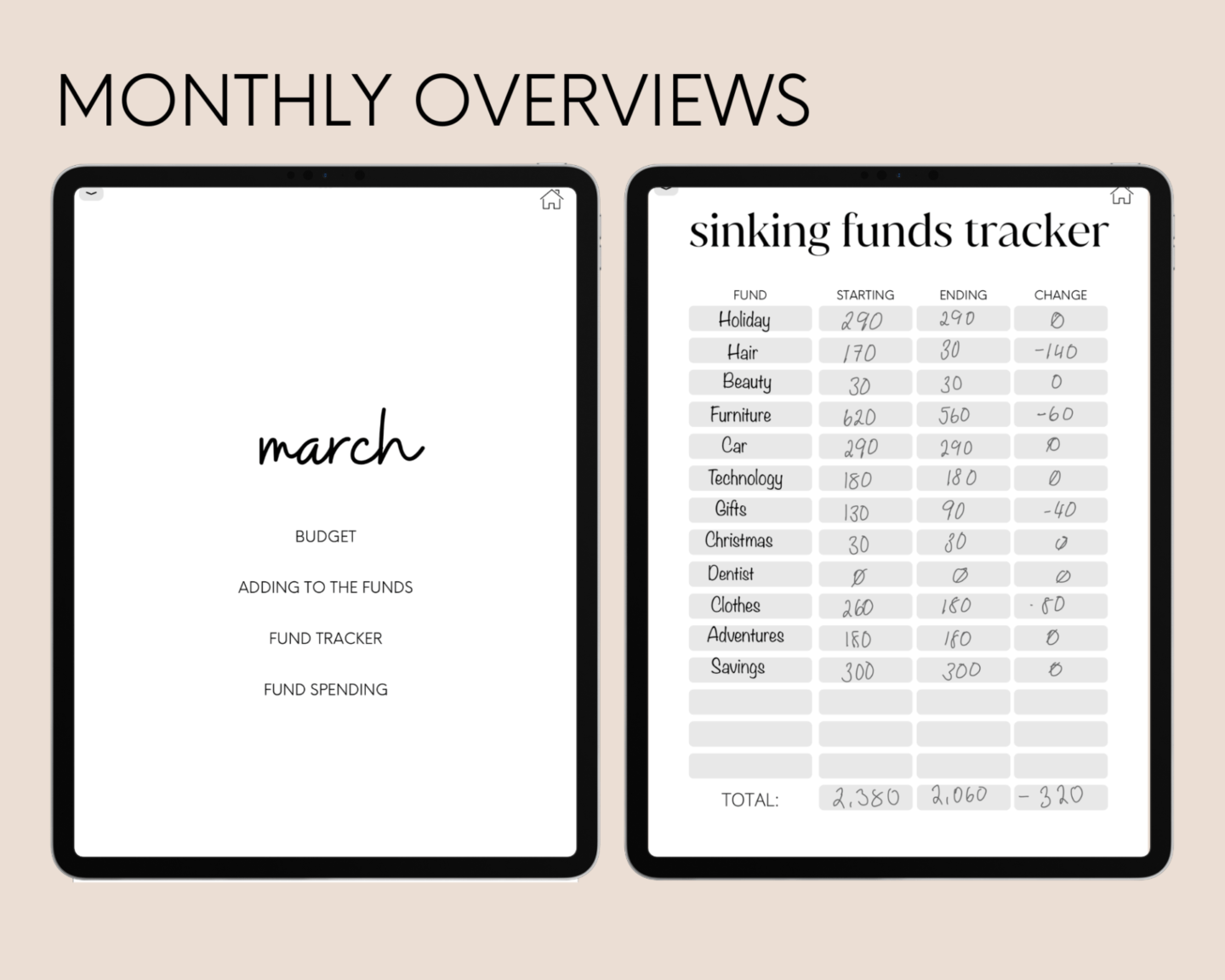
    • Fund Tracker
    • Fund Spending

    What are the Pros of a Digital Sinking Funds Planner?

    There are so many pros to our digital sinking funds planner and I am going to demonstrate them all for you now!

    1. Digital Monthly Budget Page for Every Month!

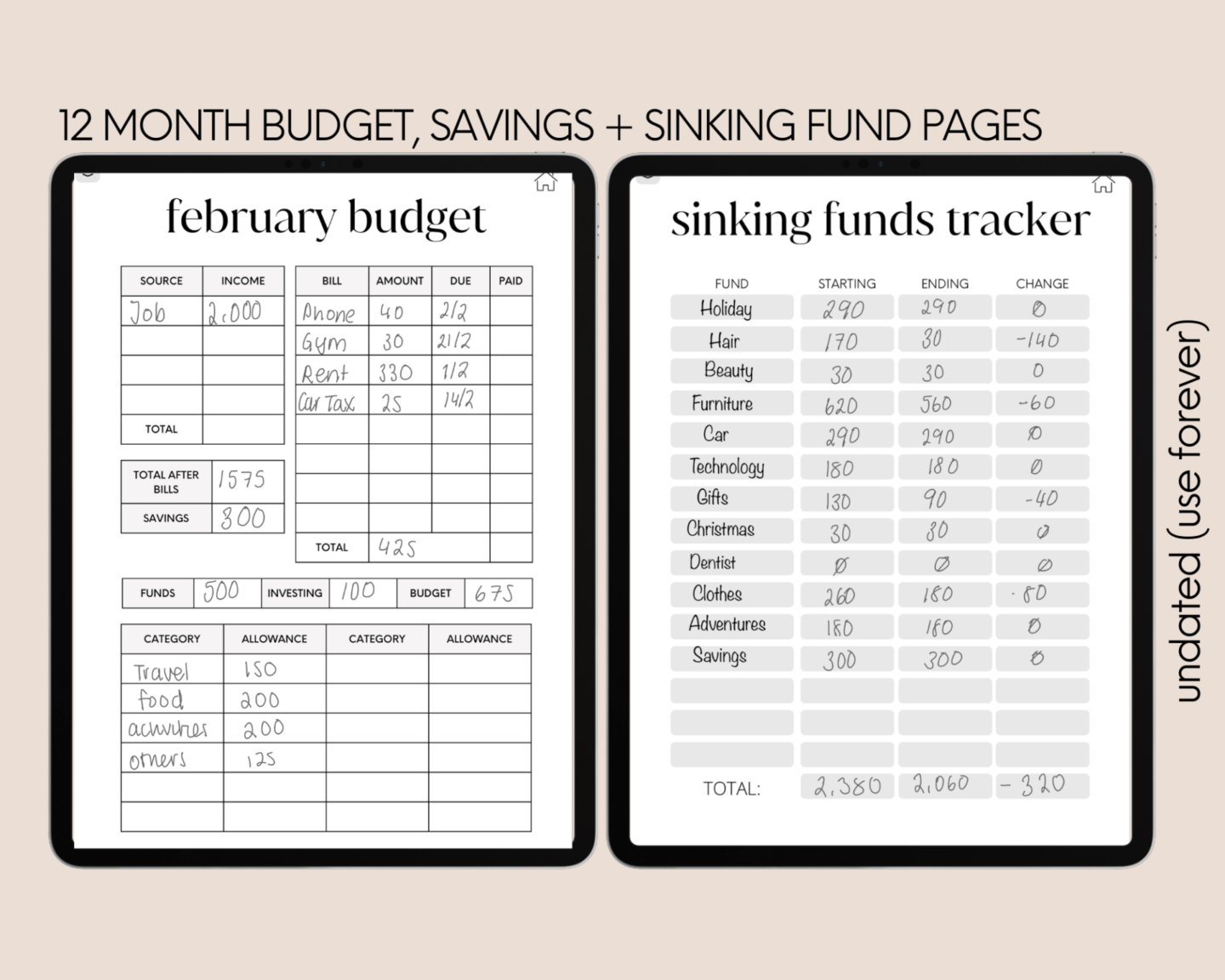
    I know you cannot have an effective sinking funds planner without filling out your monthly budget. How will you know how much is to go into your funds after bills etc without anywhere to track it?
    That is why this sinking funds planner has a dedicated monthly budget for each month.

    2. Track 15 Individual Funds Every Month

    15 funds should be more than enough funds for you to track every month. I myself use around 12 very specific ones so you can group together some funds if you run out of space…. OR duplicate the page for another 15 funds.

    3. Quick and Easy Listing of Funds

    As this is a digital sinking funds planner, you can use the copy and paste feature to copy over your list of sinking funds for each spread and month

    3. Sinking Fund Structure

    what is a sinking funds tracker

    This digital sinking funds planner will have 12 separate months with the following tried-and-tested sinking fund structure:

    • Monthly Budget
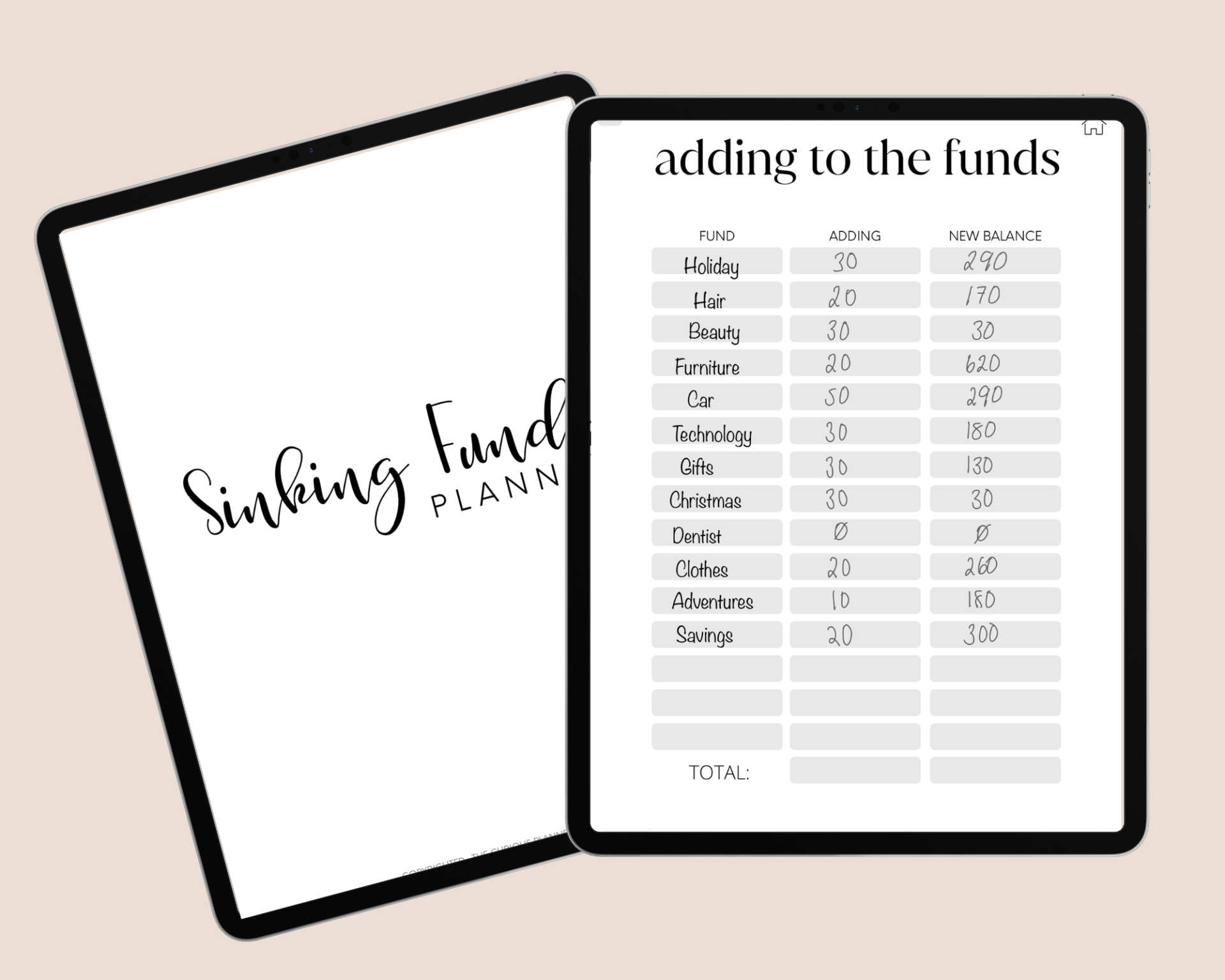
    • Adding to the Funds – track what you are putting in the funds per months
    • Fund Tracker – track the beginning and end of month values
    • Fund Spending – track spending of funds throughout each month.

    RELATED POST: The Ultimate Digital Reading Journal

    4. Track your Debts and Savings Visually

    digital sinking funds planner template

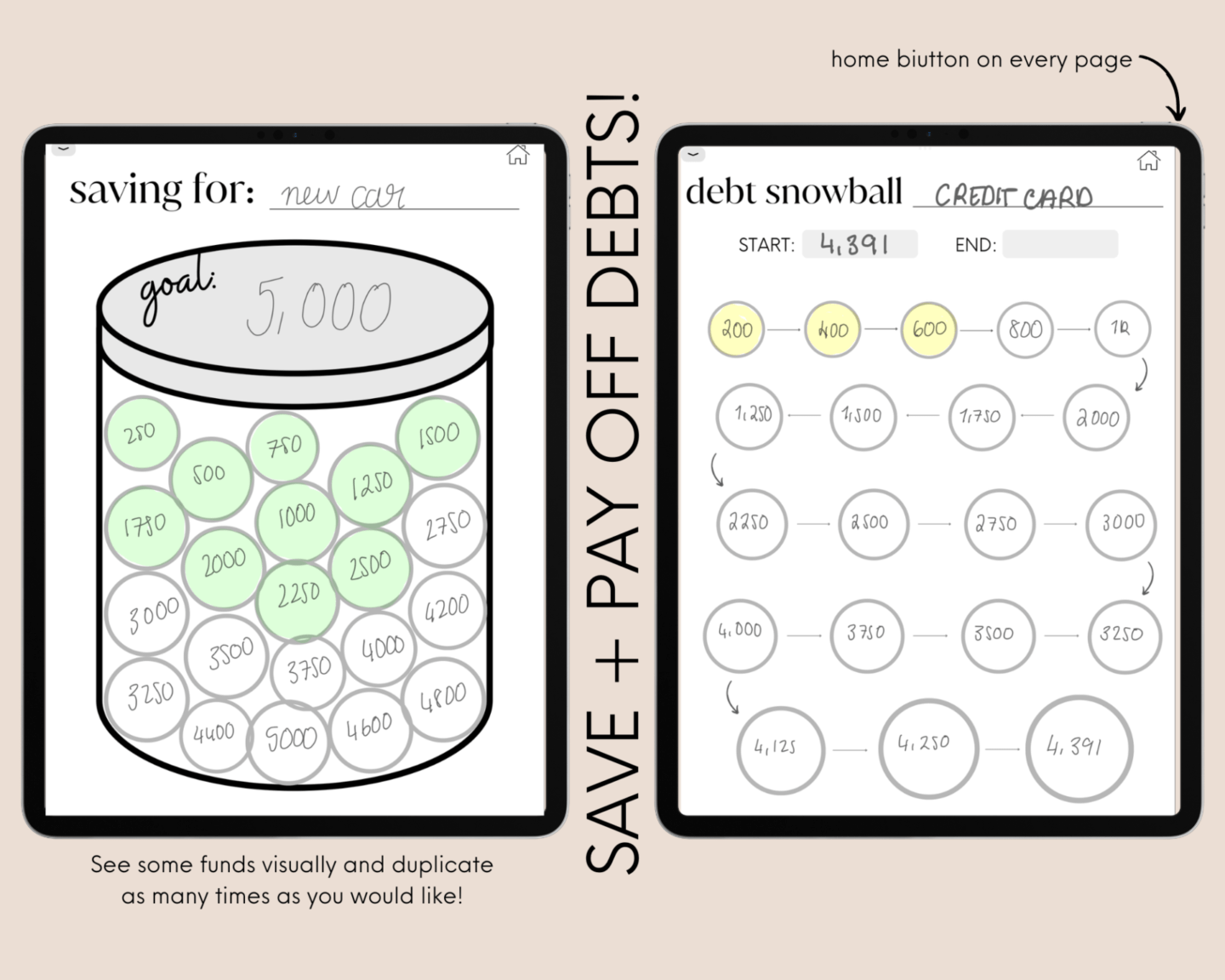
    For sure you will have your savings in your funds but sometimes it is nice to see your savings and debts visually! The savings jar can be duplicated as many times as you like and you can get the satisfaction colouring in each circle as and when

    Likewise with your debts, it is SO nice to reward yourself with each step closer to being debt free using the snowball method.

    5. Yearly Overviews

    sinking funds planner

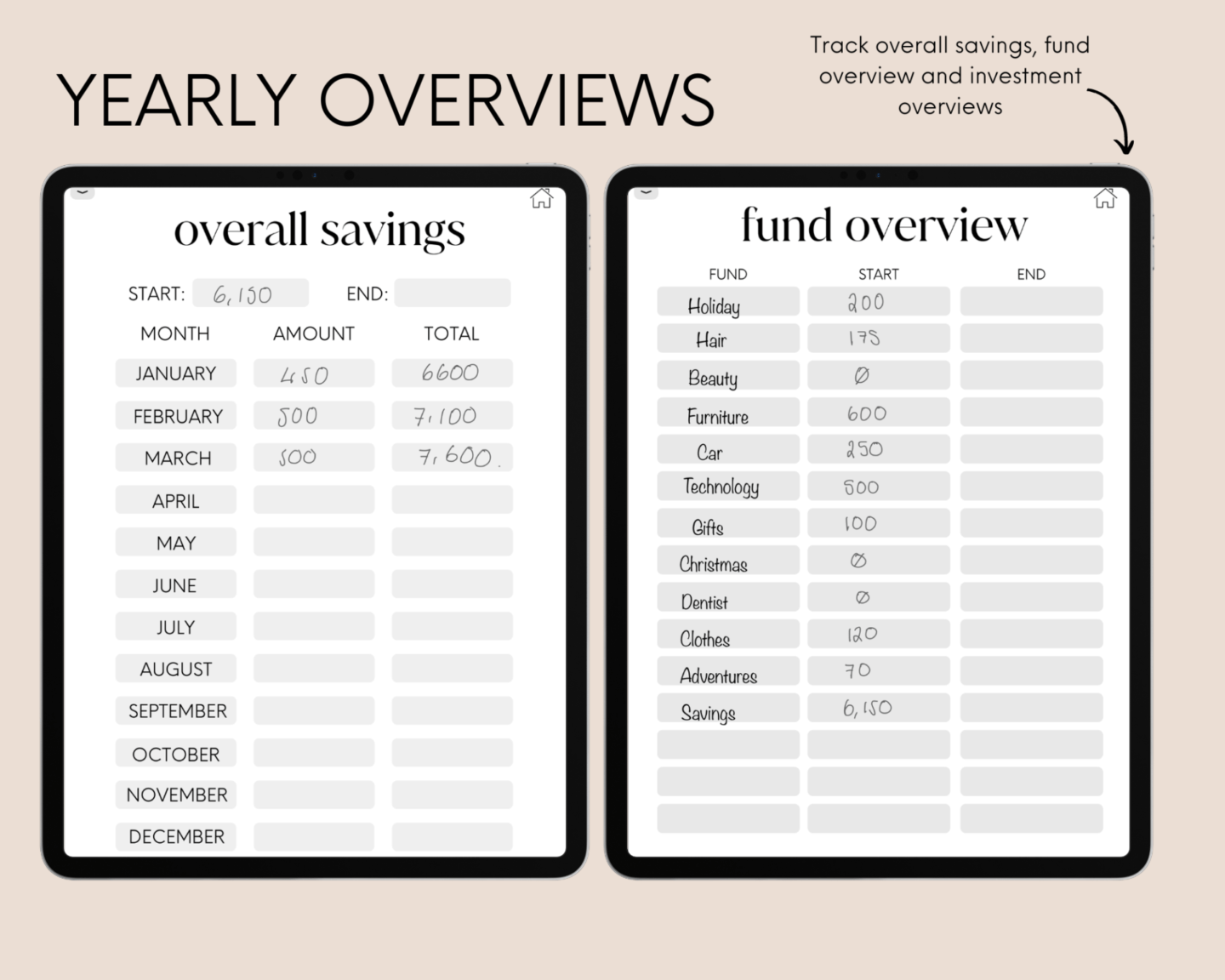
    This digital sinking funds planner has three options to track at the beginning of the year and end of the year. There are options to track:

    • Investment Overview – track your investment sinking fund monthly
    • Overall Savings Overview – This is NOT your sinking funds but can be a) separate to your funds. b) a single fund within your funds.
    • Fund Overiew – track the beginning and end of year fund value.

    6. Re-Usable

    This digital sinking funds planner is undated which means it can be used forever – year on year.

    7. What Mistakes?

    So we have sort of touched on this in terms of personalisation. Feed the perfectionist in you when it comes to journalling as digital journalling allows you to correct your mistakes in the tap of a button #byebyetipex

    8. Digital Sinking Funds Planner PDF Compatibility

    You can use this planner ANYWHERE that takes the PDF file format. This means any digital note-taking app that allows integration with PDF file formats (which i’m pretty sure should be ANY planner app) this planner should work well with!

    This planner works best with Goodnotes as dimensions are made for Goodnotes but quality on other apps should be almost the same!

    For all digital planning, I use my iPad Air 4 (in love with this) and my Apple Pencil, which I personally think is so worth it!

    The Only CON of a Digital Sinking Funds Tracker and How We Have Made it NOT-A-CON

    1. I want a Sinking Funds Planner PDF Printable

    I hear you and understand it may be a con to some people however….

    You can also print this planner out!!


    If you would like to use this as a PDF file, you can! I have made this planner to suit both digital and printable purposes.

    If you would like a full printable budget planner, click here!

    Digital Sinking Funds Planner

    UNDATED Budget Planner Printable

    If you would like a few more options and spreads, check out out undated budget planner printable which you can use forever 🙂

    This post was all about the best digital sinking funds planner.

  • The Number 1 Best Digital Reading Journal Every Reader Needs

    The Number 1 Best Digital Reading Journal Every Reader Needs

    This post is giving you an insight into TCP’s best digital reading journal that every reader should be using!

    digital reading journal

    Well hello there to all you book lovers, welcome to your soon to be favourite digital reading journal.

    As someone who has been logging their reading for years in paper journals and for the past few years digitally, I know exactly what is needed to make a reading journal template absolutely perfect… and we have only gone and done it!

    This post is going to give you a deep dive into our brand new digital reading planner and why you definitely need one. We are going to look at the pros and cons of a digital reading journal and what exactly is a reading journal, as well as how you can personalise your journal and make it your best reading journal ever <3.

    This post is all about our digital reading journal!

    What is a Digital Reading Journal?

    A digital reading journal is exactly what it says on the tin; a place to track everything to do with your books digitally. You will most likely have this reading journal on your tablet and it will include the basics of your monthly reads, book reviews, and maybe some space to put down the books you would like and have bought.

    Why have we made a Digital Reading Journal

    As a seasoned digital planner and paper planner user, I knew EXACTLY what is needed to make the perfect digital reading planner. All of the planners I tried out before were not hitting the spot. It could be that there was not enough space for a book review to there being not enough pre-built lists. So, I made my own!

    Keep reading to see how much bookish goodness we have packed into this digital reading journal!

    What is in the TCP Digital Reading Journal?

    TCP’s digital reading journal is what’s listed above and so much more! Below there is a detailed contents as well as how I use the journal, some pros (and the one con) including some pictures of it in action.

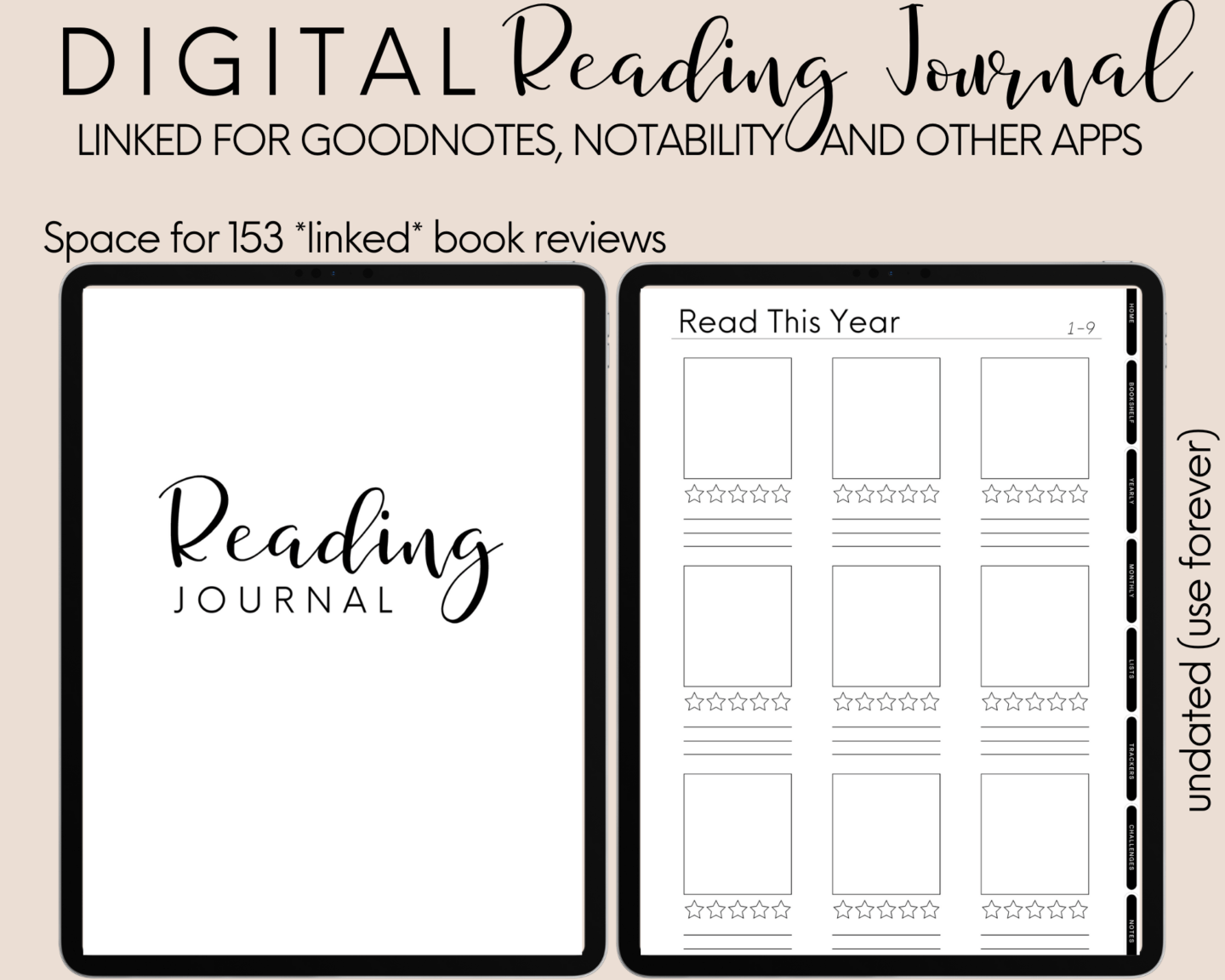
    Our digital reading journal is truly one of a kind as we have so much packed into it. From challenges, to 5 star reads, to DNFs, and space for 150 linked reviews, you will have space for everything!

    Here is a detailed contents for you and a cheeky video:

    • Your Bookshelf for the year (each linking to it’s separate book review)
    • Book of the Month
    • 5 Star Reads
    • Yearly Stats, categorised by overall and each month
    • 12 Separate Monthly Reading Trackers
    • Books Bought
    • Books Wishlist
    • Physical TBR
    • Series Tracker
    • Yearly TBR
    • Did Not Finish
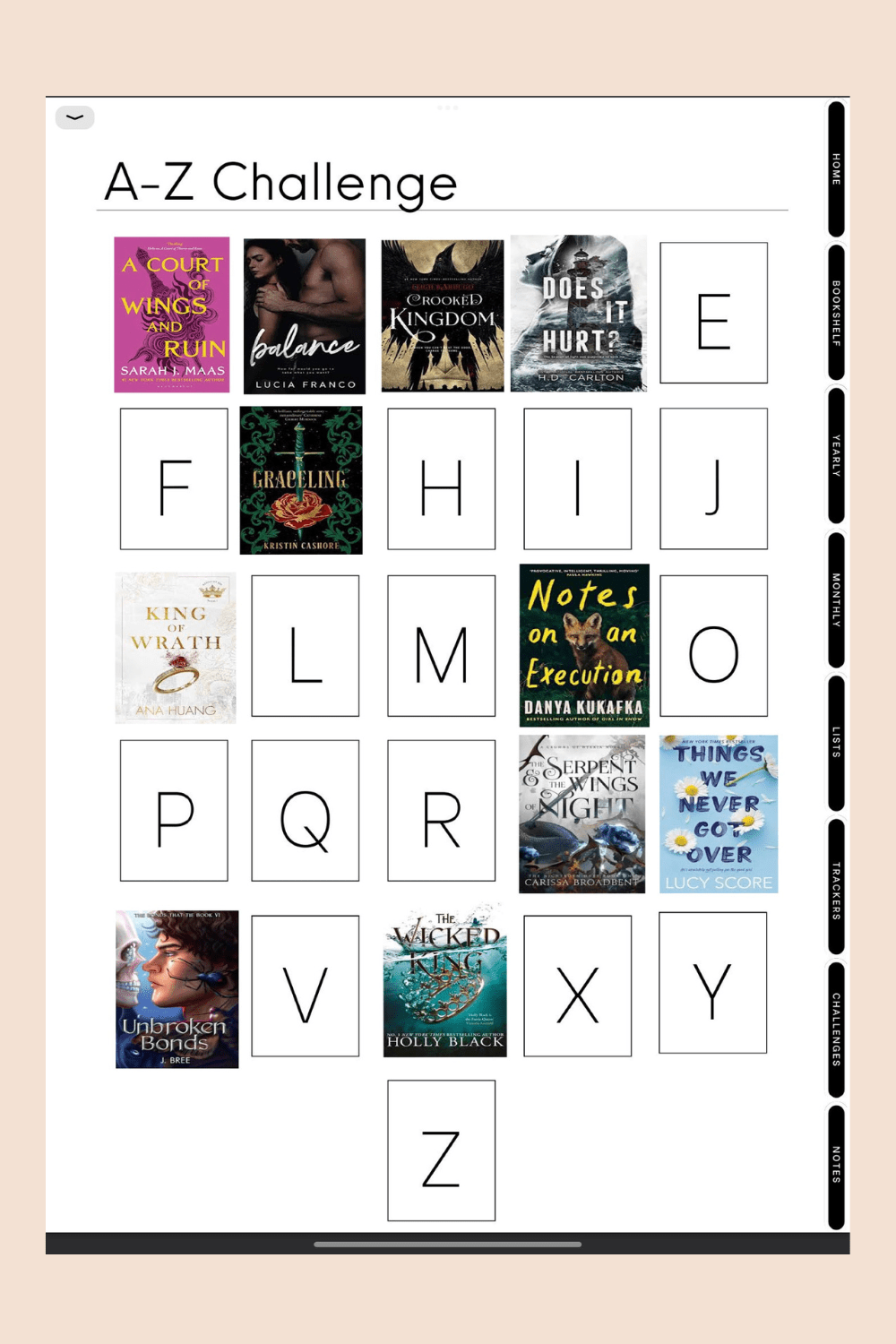
    • A-Z Challenge
    • 50 Books Challenge
    • 25 Book Prompt Challenge
    digital reading journal template

    What are the Pros of a Digital Reading Journal?

    There are so many pros to a digital reading journal and I am going to show you them all using our digital reading planner.

    1. Everything is Easily Found

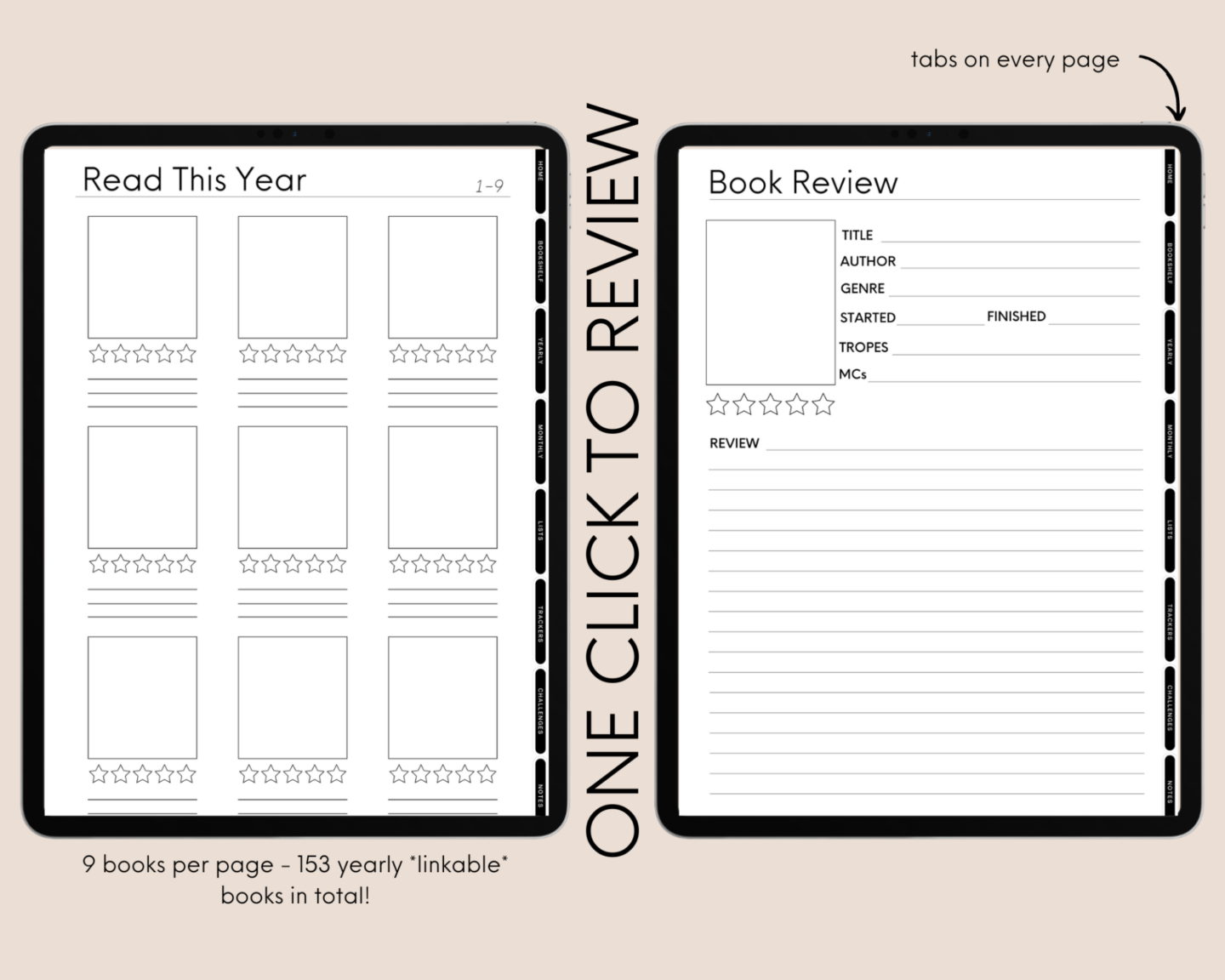
    There is nothing more annoying than rifling through your paper journal trying to find a page that is absolutely buried in your book. However, with the digital reading journal your contents page is easily clickable, as well as tabs on every page that navigate you to all headings contents.

    What about your book reviews? Those too are clickable! All 150+ off= them.

    2. Space for (nearly) Unlimited Books

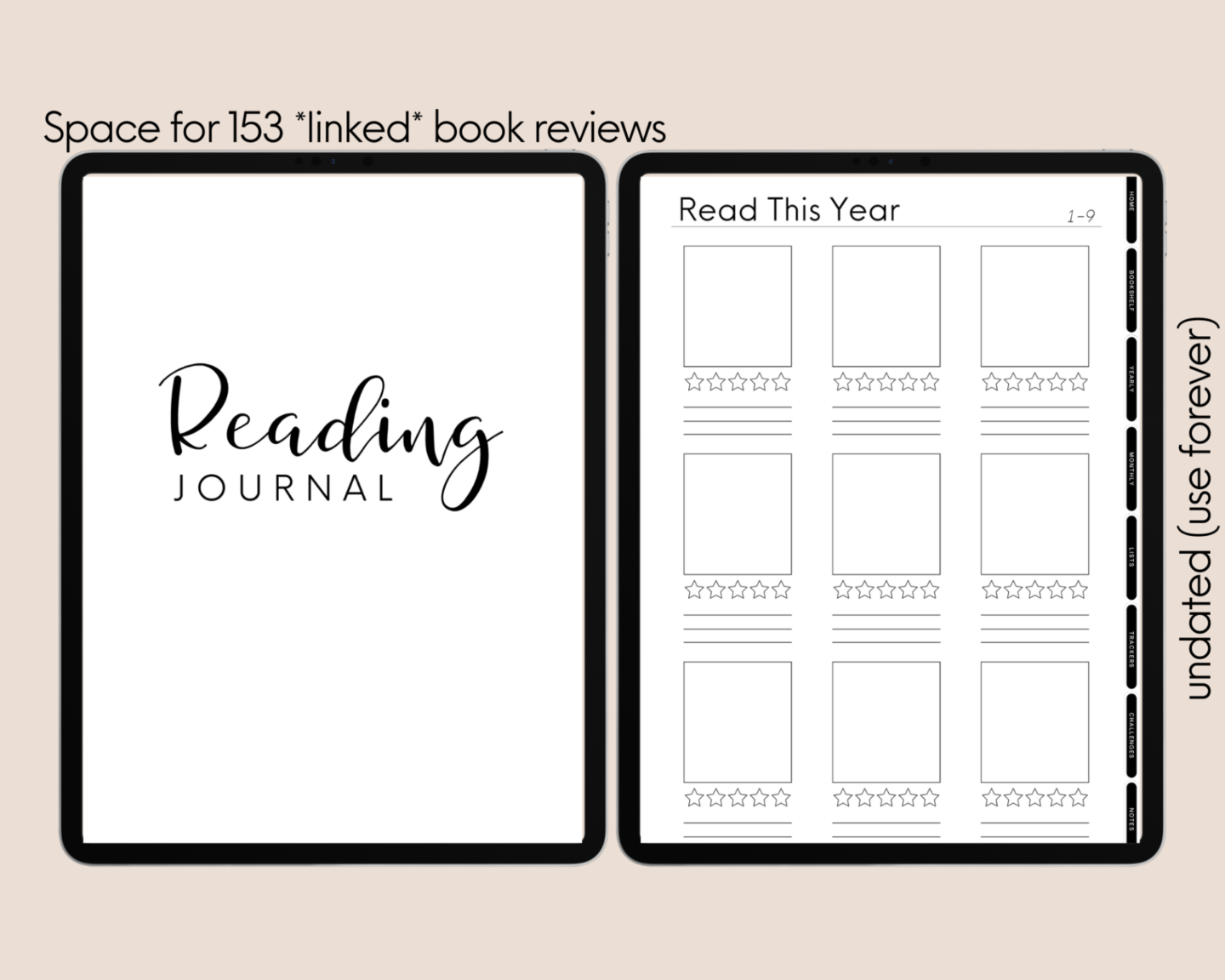
    153 books to be precise, and those are just the *clickable* book reviews. What do we mean by that? Under the books read section each book will link to its own book review page, plus other spaces to list books such as, 5 star reads, book of the months, challenges, yearly TBRs, and more.

    3. Extremely Personalisable and NO PRINTER REQUIRED

    One of the MAJOR turn-offs when it comes to paper reading planners is that you have to physically print out the pictures you want in there and that costs so much money in ink. However, with the digital planner you can copy, paste, re-arrange images, as well as add cool stickers. Most importantly, if you change your mind, you can do it again, to however you like!

    Scroll through this post to see the goodnotes digital reading journal in action!

    Layout is Already Provided – Less Work

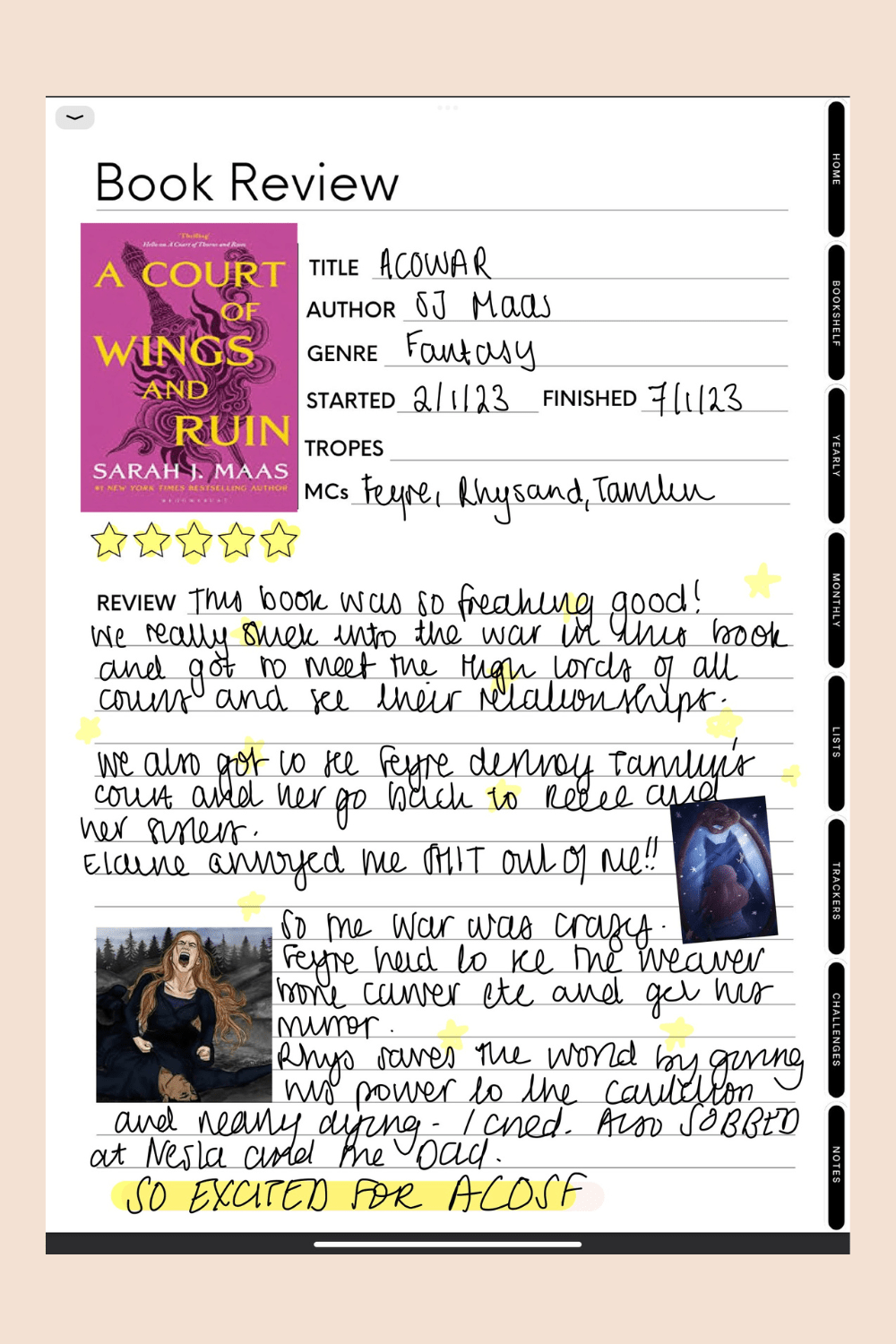
    PS: if you have not read ACOWAR, DO NOT LOOK AT THE BOOK REVIEW BELOW!

    goodnotes digital reading journal

    No more drawing a bunch of squares here there and everywhere to represent books of covers you will NEVER print out and blank pages of ideas you will never draw. This reading journal template is the best because all of the work is done for you! All you have to do is personalise it to how you want and have fun reading.

    4. Re-Use Year After Year

    digital reading journal goodnotes

    You read that correctly. This book journal is undated so once you buy it you can keep it and use it forever! Don’t say this isn’t the best digital reading journal goodnotes and notability has ever seen 😉.

    RELATED POSTS: HERE IS EVERYTHING PLANNER AND PLANNER INSERTS

    5. Goals and Monthly and Yearly Stats all in One Place

    Track your yearly goals and TBR efficiently, and compare your ‘Goals’ to your ‘Actual’ at the end of the year. Monthly statistics also join to your monthly read pages, something which just CANNOT be done in a physical planner.

    6. Note Pages to Personalise Whatever You Like

    We understand that many people like taking notes and doodling on different style pages, so here you are absolutely spoilt for choice! We have

    • Grid
    • Dot Grid
    • Ruled
    • Blank

    Each and every page is un-titled and you can replicate them as much as you like.

    7. What Mistakes?

    So we have sort of touched on this in terms of personalisation. Feed the perfectionist in you when it comes to journalling as digital journalling allows you to correct your mistakes in the tap of a button #byebyetipex

    8. Digital Reading Journal PDF

    PDF! The fact that it is a PDF is indeed a PRO because you can use this reading journal template ANYWHERE! That means any note taking app you have that can take PDFs, this journal can be used on. Granted it will be best quality on GoodNotes but the quality will not be too bad that it is unusable (I’m pretty sure you will not notice much difference to be honest.)

    9. Challenge Yourself

    digital reading journal pdf

    So with a regular journal you need to go, make all the spreads, print out challenges, stick them in your journal etc. However, our reading journal has 3 fun reading challenges for you to complete. Also with the built in TBR spreads and statistics you’ll take your challenges and goals seriously.

    digital reading journal template

    The ONE Con of Digital Reading Journals

    The one and only con of digital journalling in general is that you don’t have a physical copy you can refer to and look back on in the future. Yes you can have them all in one place on your tablet but sometimes, nothing beats holding a physical book- just like physical vs ebook, right? 😂

    There is a way around this con. If you truly love your journal at the end of the year and would love a physical copy you can have it PRINTED. The journals layout is chronological so printing your journal will have it read very well.

    We absolutely LOVE this reading journal and cannot wait to use it for years to come. We currently have an offer where you can get 10% off the digital reading journal (+ everything else digital in the store) when you sign up to our mailing list!

    Make sure to check this bad boi out because it truly is a dream where you can track all of your reading!

    Want to see all of our digital planners in action? Check us out on tiktok @thecuriousplanner

    This post was all about our best digital reading journal!